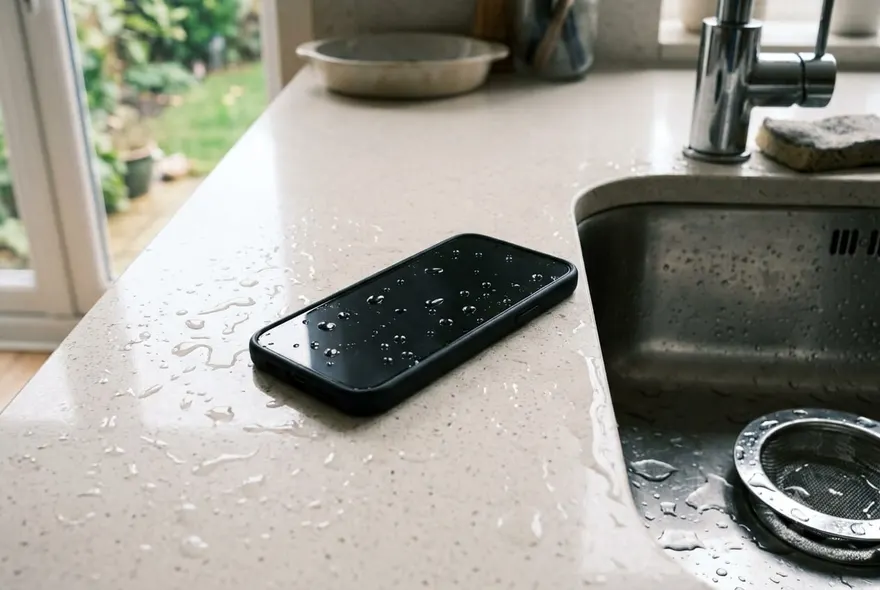
Most iPhones that go into water come back out fine. That is not optimism — every iPhone since the 7 is water resistant, and the ones from the iPhone 12 onwards are rated for six metres of water for half an hour. The phones that die are almost always the ones that got plugged in too early, dried with heat, or shaken around with water still sitting in the port.
So the fix for a water damaged iPhone is mostly about not making it worse in the first hour, then drying it in the right order. Here is that order.
The first ten minutes
Get it out of the water, obviously. Then:
- Unplug everything. Cable, headphones, the case if it is one of those with a rubber lip that traps water. Water across live charging pins is what causes corrosion, and the phone will happily push current through wet pins if you let it.
- Wipe the outside. A towel, a T-shirt, anything. Pay attention to the seams: the port, the speaker grilles, the SIM tray edge, the button gaps.
- Hold it port-down and tap. Tap the back of the phone against your palm a dozen times with the charging port facing the floor. You will often see a drop or two come out. This is the single most useful thing you can do and it takes fifteen seconds.
- Decide whether to power it off. If the phone is working normally, leave it on — the water is on the outside and switching it off gains nothing. If the screen is flickering, the touch is jumping, or it is warm for no reason, hold the side button and power it down. Something inside is wet, and a powered-down board corrodes far more slowly than a live one.
What you are not doing yet: charging it, running a tone through it, or putting it in rice. All three come later or never.
Wet iPhone or water damaged iPhone? They are different problems
“Water damage” gets used for two things that need opposite handling.
The first is water in the openings: the speaker mesh, the earpiece slot, the charging port, the microphone holes. The phone itself is dry inside. Symptoms are a muffled speaker, a “Liquid Detected” alert when you plug in, and nothing else. This is the common case — a rain shower, a drop in the sink, a shower playlist — and it is fixable at home in an hour.
The second is water past the seals: inside the body, on the logic board. Symptoms are a screen that flickers or shows lines, a phone that will not turn on, Face ID that stops working, a foggy camera, or a battery that drains in an hour. That needs drying time and possibly a repair shop, and the home fixes below can only help around the edges.
Salt water and sugary drinks make either case worse, because they leave conductive residue behind when they dry. If it was the sea, a cocktail or a fizzy drink, there is a step further down for that.
How to dry an iPhone dropped in water
This is the part everyone gets wrong, mostly because of the rice thing. Apple’s own support page for the liquid alert now says it outright: no rice, no heat, no compressed air, nothing poked into the port. Here is what does work.
- Port facing down, in moving air. Prop the phone upright on a shelf or lean it against something with the charging port pointing at the floor, near a fan or an open window. Gravity drains the port; air carries the moisture away. Not on a radiator, not in direct sun, not under a hairdryer — heat warps the adhesive seals and pushes water deeper.
- Give the port 30 minutes before you even think about charging. That is Apple’s minimum for the “Liquid Detected” alert. If the alert comes back when you plug in, give it longer — up to 24 hours is normal after a proper dunk.
- Charge wirelessly in the meantime. MagSafe or any Qi pad skips the port entirely and is safe while the port is still wet. If you are at a low battery, this is how you stay on.
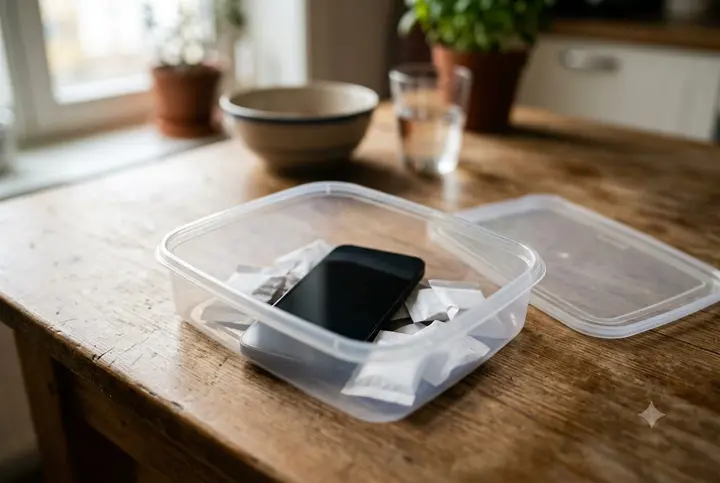
- Silica gel, if you have it. Those little packets from shoe boxes and vitamin bottles do genuinely pull moisture out of the air. Put the phone in a sealed container with a handful of them overnight. It is the one “bag of something” trick that works, because silica gel absorbs water vapour and rice mostly does not.
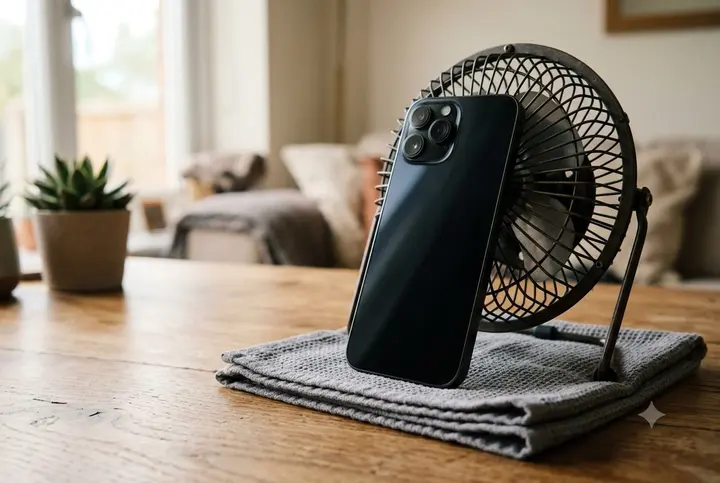
How long? A splash is dry in an hour. A drop in the sink, a few hours. A swim, give it a day. Water that got inside the body — two to three days, and be honest with yourself that a repair shop with an ultrasonic cleaner might do a better job than time alone.
Get the water out of the speaker
The speaker is the one place where waiting is the wrong move. Water sits in the tiny holes of the mesh held by surface tension, and it does not drain on its own — it dries in place, and dried water leaves minerals that stiffen the mesh. Better to push it out while it is still liquid.
The way to do that is a low tone. A speaker is a diaphragm on a coil; play it a tone near its resonance, around 165 Hz, and the diaphragm moves hard enough to shove the droplets out through the holes. It is the same trick the Apple Watch uses after a swim. The tool on this site plays that tone from your browser for 45 seconds, nothing to install.
- Take off any headphones and unpair AirPods, or the tone goes to them instead.
- Silent switch to ring, volume all the way up.
- Hold the phone with the wet speaker facing the floor, over a towel.
- Press Start. You may see tiny droplets appear on the grille or the towel.
- Play a song to test. Still muffled? Run it again, up to three times.
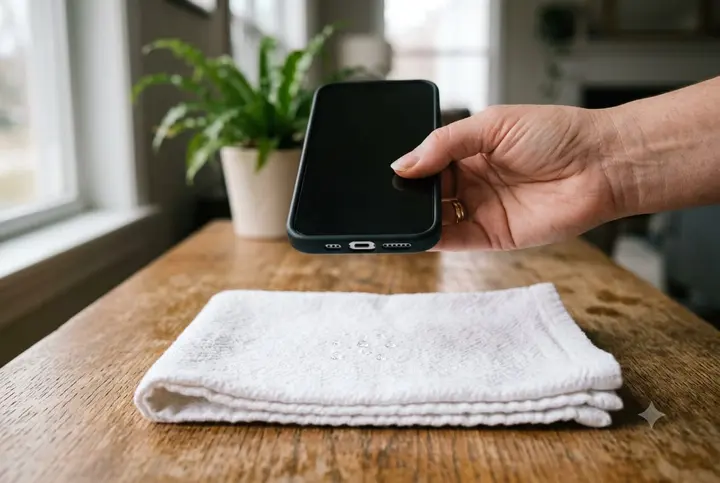
If the earpiece at the top is the muffled one — calls quiet, music fine — hold the phone screen-down with the top edge angled at the floor instead. The tone plays through both speakers; the orientation is what changes.
How to remove water damage from an iPhone (and what cannot be removed)
Strictly, you do not remove damage. You remove the water and the residue before they cause any. Three things are worth doing:
Rinse salt water and drinks with clean water. This sounds mad, but a phone that has been in the sea or in a glass of cola is better off with a quick rinse under a gentle tap before drying, because fresh water evaporates clean and salt or sugar do not. Keep it brief, port down, then dry as above. Only do this on a phone rated IP67 or better — that is every iPhone from the 7 on.
Clear the port of anything that is not water. Once it is dry, shine a torch in. If you see a grey felt pad at the back, that is pocket lint, and lint holds moisture and triggers the liquid alert on its own. Scrape it out gently with a wooden toothpick or the pick end of a floss stick. Never metal.
Leave the inside alone. If you are tempted to open the phone to dry the board, do not, unless you have done it before. The display adhesive, the battery pull-tabs and the ribbon cables are all easy to wreck, and a repair shop will do the same job in an ultrasonic bath for less than the cost of a new screen.
What cannot be undone at home: corrosion that has already eaten a trace on the board, a speaker coil that has rusted, a camera seal that has failed. Those are repairs, and the cost guide covers what each one runs.
Can an iPhone recover from water damage?
Yes, and more often than the internet suggests. The honest breakdown:
- Fresh water, out within a minute, dried properly: almost always a full recovery. The phone was designed for exactly this.
- Fresh water, sat for a while (fell in a bath, left in a wet pocket): usually recovers, sometimes with a lingering issue — a slightly quiet speaker, a port that needs cleaning. Give it the full 24 hours before judging.
- Salt water or sugary drinks: coin flip if you rinsed and dried fast; poor odds if it dried with the residue inside. Corrosion shows up days later, not immediately, so a phone that seems fine on day one can develop faults on day five.
- Went through a washing machine, or was charged while wet: often recovers partially. The most common casualties are the speaker, the charging port and Face ID, in that order, and each is a separate repair.
Signs it is recovering: the liquid alert stops, the speaker clears after the tone, the camera fog fades, the battery holds. Signs it is not: the phone gets warm when idle, the screen develops a yellow tint or vertical lines, it restarts on its own, or it refuses to charge on a dry port with a known-good cable. Those are board-level symptoms, and the sooner a shop opens it, the more they can save.
What not to do
- Rice. It does not dry a phone faster than air, and the starch dust ends up in the port and the speaker mesh. Apple says so; repair shops have said so for a decade.
- Hairdryer, oven, radiator, car dashboard. Heat softens the adhesive that seals the phone and drives water further in. It also cooks the battery.
- Compressed air or canned air. Blasts water and debris deeper, and the propellant leaves moisture of its own.
- Charging through the port before it is dry. The single most common way a wet phone becomes a dead phone.
- The freezer. Yes, people try this. Ice expands.
- Emergency Override on the liquid alert, unless you genuinely have no other way to make a call. It does what it says: overrides the protection.
When to stop and take it in
Take it to a repair shop the same day if the phone will not turn on, if it was in salt water or a drink and you could not rinse it, or if you can see water under the screen or behind the camera lens. Those are the cases where an ultrasonic clean within 24 hours is the difference between a hundred-dollar fix and a new phone.
Everything else — a muffled speaker, a liquid alert, a slightly damp port — is a wait-and-dry problem that you can handle at home with a towel, a fan and the tone. Give it a day before you spend money.