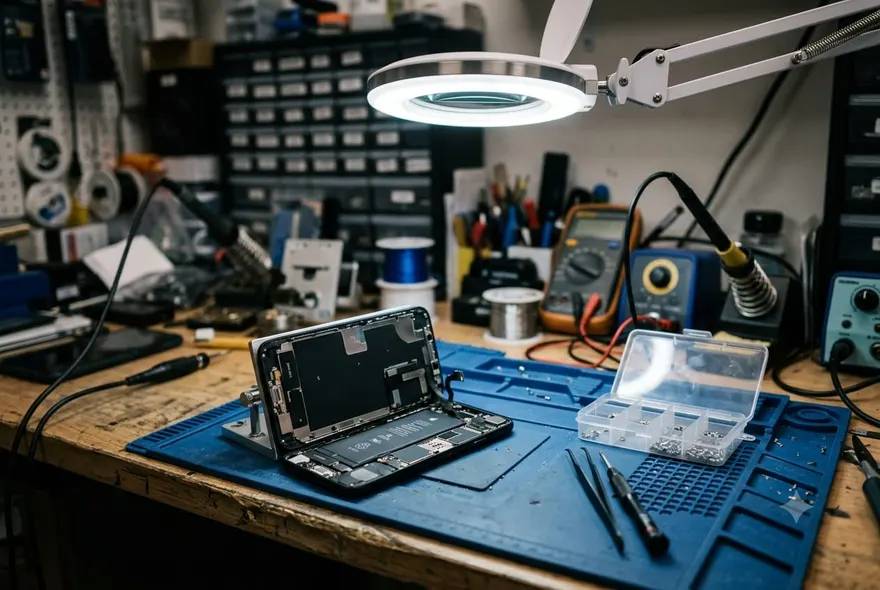
Short answer: anywhere from nothing to about $800, and the gap between those two numbers is mostly about who you ask and how soon.
The “nothing” is real. A large share of water damaged iPhones are not damaged — they have water in the speaker or the charging port, and it clears with a tone and a day of drying. The $800 is Apple’s out-of-warranty price for “other damage” on an iPhone 17 Pro Max, which is what you pay when the phone genuinely needs to be replaced and you have no AppleCare+. Everything else sits in between, so here is the whole ladder.
iPhone water damage repair cost in 2026
| What is wrong | Where | Typical cost |
|---|---|---|
| Water in the speaker or port only | At home — tone + drying | $0 |
| Speaker replacement | Independent shop | $59–$89 |
| Charging port replacement | Independent shop | $60–$150 |
| Ultrasonic clean + corrosion removal | Independent shop | $99–$149 |
| Logic board micro-soldering | Specialist shop | $120–$280 |
| Any liquid damage, with AppleCare+ | Apple | $99 per incident |
| “Other damage”, no AppleCare+ (iPhone 17) | Apple | $599 |
| “Other damage”, no AppleCare+ (iPhone Air / 17 Pro / 17 Pro Max) | Apple | $699 / $749 / $799 |
Apple prices are US, from Apple’s published out-of-warranty fees for the September 2025 line-up. Independent-shop ranges are what US shops list publicly; expect the lower end in big cities with lots of competition and the upper end for Pro Max models.
Why Apple’s number is so much higher
Because Apple does not fix water damage; it replaces the phone. Liquid damage is excluded from the one-year warranty, so once the liquid contact indicator shows red, the phone is treated as “other damage” — the same category as a bent frame or a smashed back — and the fee is a flat replacement price for that model. You hand in your phone and get a refurbished one. That is why the cost does not depend on what actually failed: a wet speaker and a dead logic board cost the same at the Genius Bar.
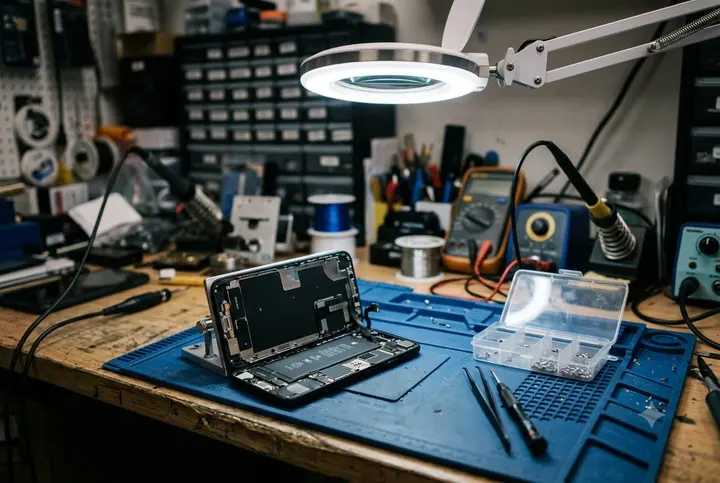
Independent shops open the phone and fix the part. That is the whole difference. A speaker that has corroded is a $60 part and twenty minutes of labour; a board with a corroded charging circuit is an ultrasonic bath and a microscope. You pay for what broke.
What an independent shop actually does for the money
“Water damage repair” on a shop’s price list usually means an ultrasonic clean: the board comes out, goes into a bath of cleaning solution agitated by ultrasound for a few minutes, and the corrosion and mineral deposits shake loose. Then it is dried, inspected under a microscope, and reassembled. The $99–$149 range typically includes a diagnostic first and a short warranty on the work. Done within a day or two of the dunk, it saves most phones. Done a month later, after the corrosion has eaten through a trace, it is a gamble, and the shop will tell you so.
Speaker and charging port swaps are the cheap, common ones. Both are modules that unplug from the board; both are the parts that sit in the water first. If the phone works but sounds muffled after it has fully dried, or charges only on wireless, one of these is the fix.
Logic board repair is the expensive tier and the one where you want a specialist, not a phone-case kiosk. Replacing a failed power management chip or re-balling a component is $120–$280, needs micro-soldering skill, and comes with an honest “we will try” rather than a guarantee.
The AppleCare+ maths
If you have AppleCare+, the answer is easy: $99, any liquid damage, up to two incidents a year, and you get a phone back that is as good as new. That is the deal for which people pay for AppleCare+ in the first place, and a wet phone is the moment it pays off.
If you do not have it, you cannot add it after the fact — Apple runs a diagnostic before selling a plan on an older phone, and a red indicator ends that conversation.
Is it worth fixing?
A rule that works: fix it when the repair is under a third of what the same phone sells for refurbished. That covers every speaker, port and ultrasonic-clean job on any iPhone from the last five years. It does not cover a $280 board repair on an iPhone 12, and it does not cover Apple’s $599 on a base iPhone 17 if a refurbished one is $650 — at that point you are paying almost new-phone money for an old phone with a history.
Before you pay anyone, though, be sure it is actually damaged. Most are not.
How to check for water damage on an iPhone
There are two ways: the indicator Apple built in, and the symptoms.
The liquid contact indicator
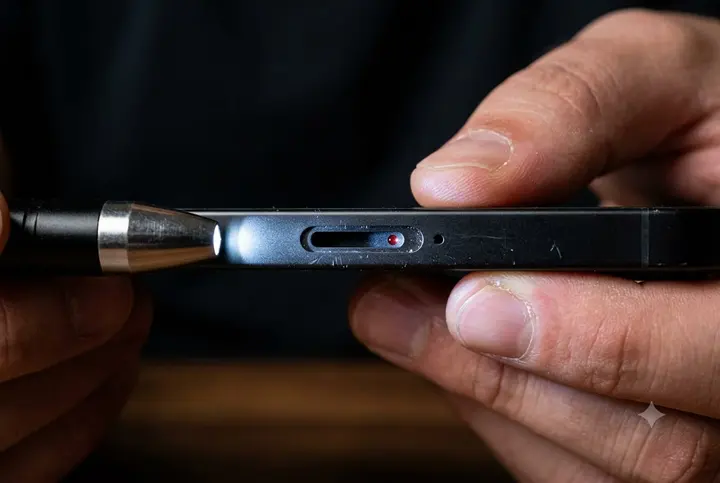
Every iPhone has a small liquid contact indicator (LCI) — a sticker that is white or silver when dry and turns fully red when it touches water. On any iPhone with a SIM tray, it is inside the SIM slot: pop the tray out with the pin, shine a torch into the slot, and look for a tiny red mark on the inside wall. White means the phone has never been wet enough to matter. Red means it has, and Apple will treat it as liquid-damaged whatever the phone is doing now.
How to check for water damage on iPhone 16 and iPhone 17
This is where it changed. iPhones sold in the US from the iPhone 14 onwards — so every US iPhone 14, 15, 16 and 17 — are eSIM-only and have no SIM tray. Their liquid contact indicators are inside the phone, on the frame under the display, and you cannot see them without opening it. If your iPhone 16 or 17 has a SIM tray (most models sold outside the US do), the indicator is in the slot as before. If it has no tray, you are down to symptoms, or a repair shop with the display off.
The symptoms, roughly in the order they show up:
- “Liquid Detected in USB-C Connector” when you plug in. On its own this just means the port is wet; it is not damage.
- Muffled or quiet speaker, or a crackle at high volume. Water in the mesh, usually, and the tone clears it. If it stays muffled after a dry day, the speaker has corroded.
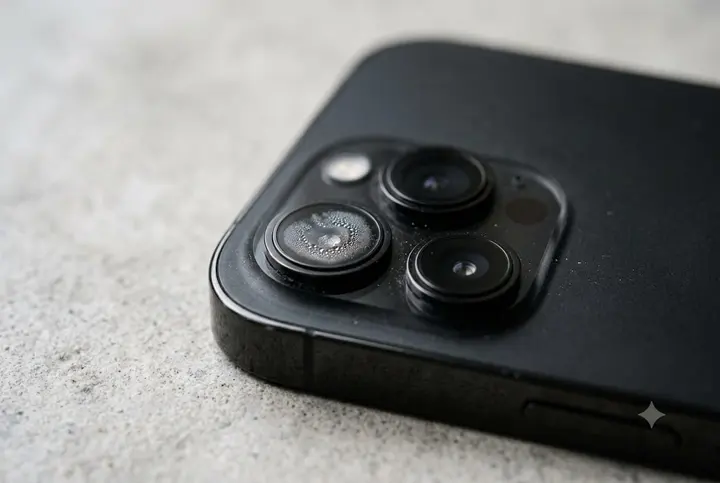
- Fog or droplets inside a camera lens. Light mist can clear over a few days; droplets mean the seal has failed.
- Face ID “not available” after the phone got wet. The TrueDepth module is a common casualty and Apple will not repair it in isolation.
- Screen tint, vertical lines, or ghost touches. Water under the display or on the display connector.
- Battery draining in hours, or the phone warm while idle. Current leaking across a corroded board. This one gets worse, not better.
- Refuses to charge on a dry port with a good cable. Port or charging circuit.
If you want certainty on a tray-less phone, any repair shop can lift the display and read the internal indicators in a few minutes, usually for free as part of a diagnostic. Apple’s stores run a hardware diagnostic that reports liquid exposure too. There is no app that can tell you; the phone has no sensor for it.
What happens if you take it to Apple
They run diagnostics, check the indicator, and quote you the “other damage” price for your model — or $99 if you have AppleCare+. If you accept, you get a replacement unit, usually a refurbished one of the same model, same day if in stock. Your data does not come with it, so back up first if the phone still turns on. If you decline, you take the phone home and nothing has changed; the visit itself is free.
One thing to know before you go: Apple’s replacement is the right call for a phone under AppleCare+ or a phone that is genuinely dead. For a muffled speaker or a port that will not charge on an otherwise working phone, an independent shop will fix the part for a tenth of the price. Ask for a quote from both.